
Yoast SEO is one of the most popular WordPress plugins that helps improve the visibility of your website in Google and other search engines. It allows you to easily optimize your content according to SEO (Search Engine Optimization) best practices.
Below the article is a video tutorial on how to use Yoast SEO.
- Log in to your website administration www.jūsudomēns.lv/wp-admin
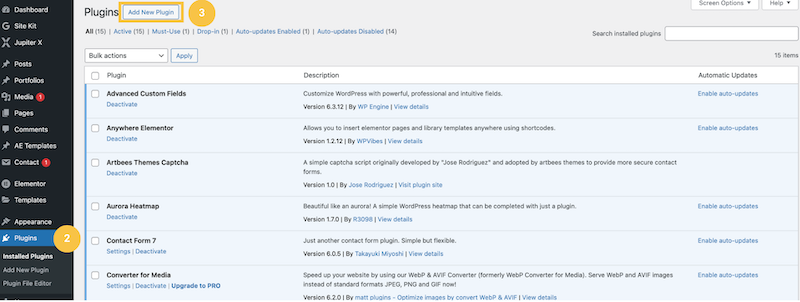
- In the left navigation bar, select "Plugins"
- Select "Add New Plugin"
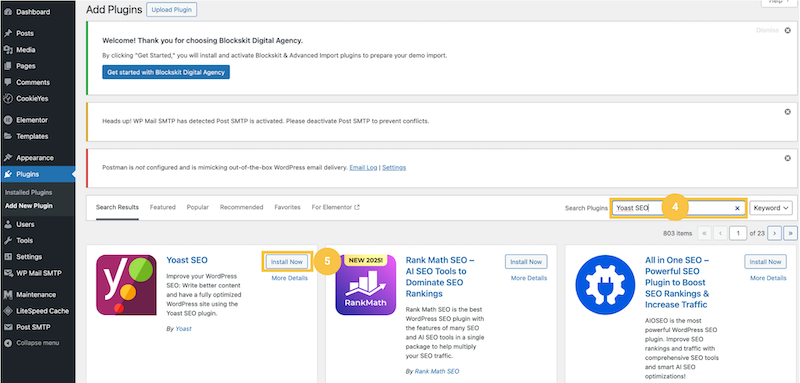
4. Type "Yoast SEO" into the search engine
5. Click the "Install Now" button
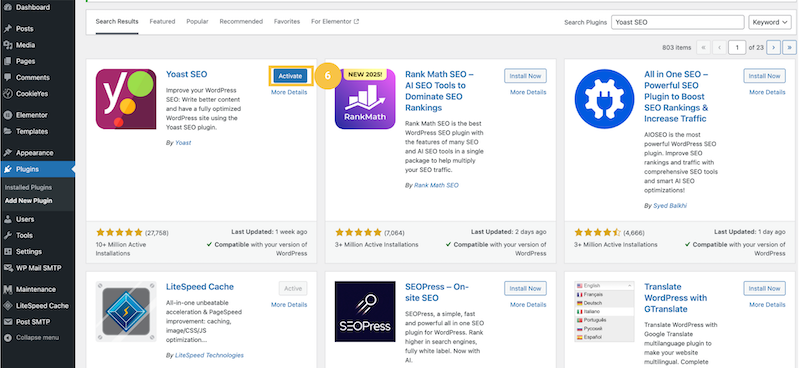
6. Activate the Yoast SEO plugin.
Video - How to use Yoast SEO