
You can read and send your email in any browser – you do not need to install anything. The easiest way is to open webmail from the client portal, because then you do not need to enter a password. The pictures show webmail in Latvian; the meaning of each button is given in brackets.
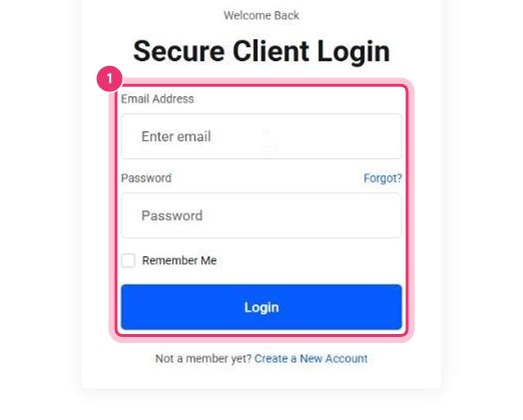
1Log in to the client portal
Open clients.area.lv. Enter your login details in the “Email Address” and “Password” fields, then click “Login”.
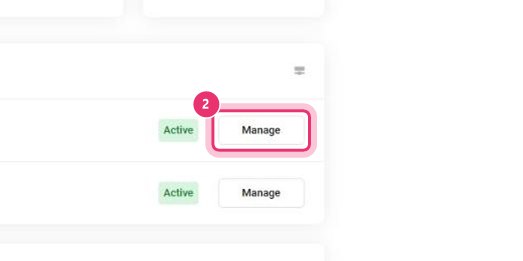
2Open your hosting service
In the “Your Active Products/Services” section, click “Manage” next to the hosting plan that includes your domain.
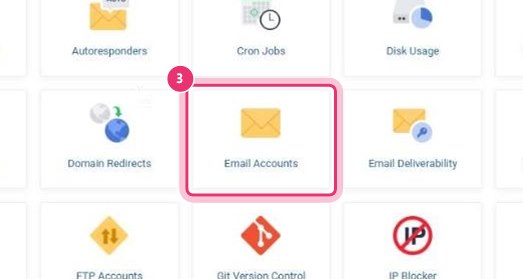
3Open email accounts
Scroll down to the “Manage Account” section and click “Email Accounts”.
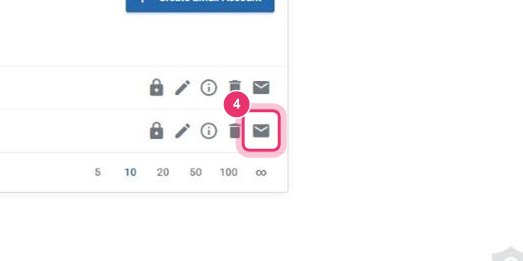
4Open webmail
Next to the mailbox you need, click the envelope icon “Webmail”. Webmail opens in a new tab.
Webmail is email in your browser. On our servers the webmail program is Roundcube.
5Open your mailbox
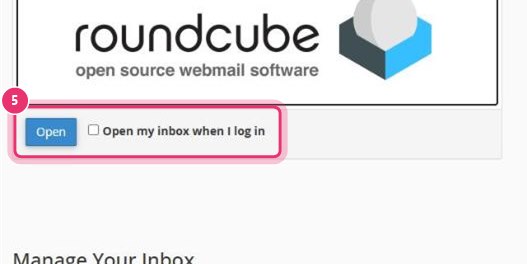
In the “Open your inbox” section, click “Open”. If you tick “Open my inbox when I log in”, your mailbox will open straight away next time, without this page.
6Read and write messages
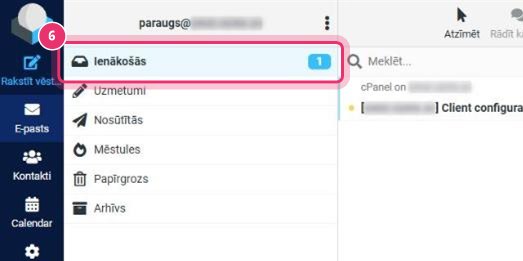
Your mailbox opens. The folders are on the left, for example “Ienākošās” (Inbox) and “Nosūtītās” (Sent). To write a new message, click “Rakstīt vēstuli” (Compose) in the top left corner.
If other people also use the computer, click “Iziet” (Log out) in the bottom left corner when you are done.
7Open your mailbox
The same page as described above opens: click “Open”.
Another way: with your email address and password
If you do not have access to the client portal (for example, if you are an employee), you can open webmail with the mailbox address and password.
1Log in with your address and password
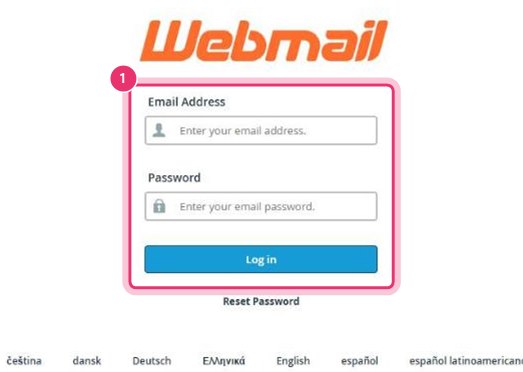
In your browser, open yourdomain.lv/webmail (replace yourdomain.lv with your own domain). Enter your full email address in the “Email Address” field and the mailbox password in the “Password” field, then click “Log in”.
If you do not remember the password, you can change it in the client portal with the “Change Password” icon next to the mailbox.
✕Do not enter your client portal password – you need the mailbox password here.
If you run into any difficulties, just write to us and we will help. support@area.lv