
If forwarding to another address is set up in the Roundcube webmail program, some messages (especially from Gmail and Yahoo senders) are not delivered. They are rejected with the error “550 5.7.1 [BFD] Sender prohibited by SPF”. The solution: delete the forwarding in Roundcube and create it in the client portal. Forwarding from the portal uses SRS, so the messages are delivered. Repeat this for every mailbox that has such forwarding. The pictures show webmail in Latvian; the meaning of each button in English is given in brackets.
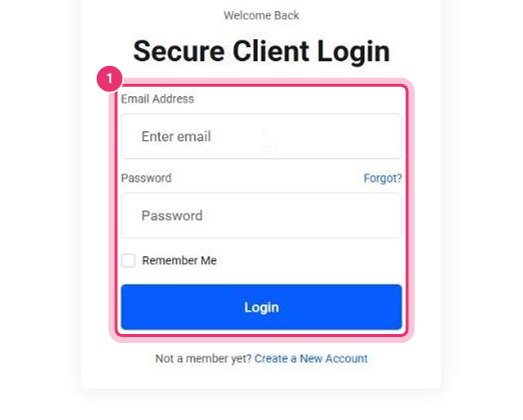
1Log in to the client portal
Open clients.area.lv. Enter your login details in the “Email Address” and “Password” fields, then click “Login”.
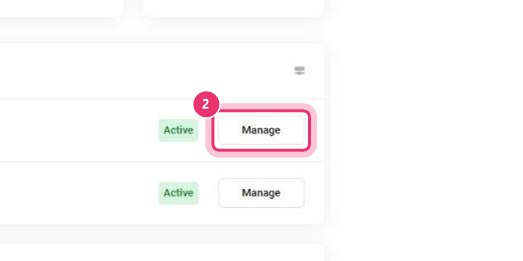
2Open your hosting service
In the “Your Active Products/Services” section, click “Manage” next to the hosting plan that includes your domain.
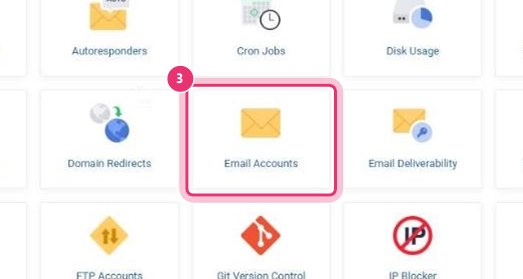
3Open email accounts
Scroll down to the “Manage Account” section and click “Email Accounts”.
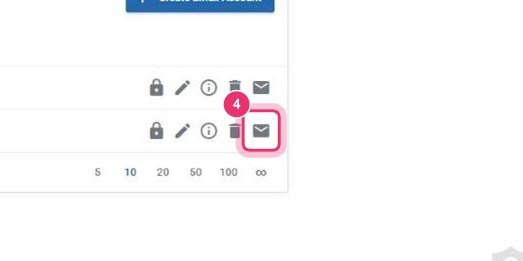
4Open webmail
Next to the mailbox you need, click the envelope icon “Webmail”. Webmail opens in a new tab without asking for a password. If the “Open your inbox” page opens, click “Open”.
Webmail is email in your browser – you do not need to install anything. On our servers the webmail program is Roundcube.
5Open the settings
In the left menu, click “Iestatījumi” (Settings, the gear icon).
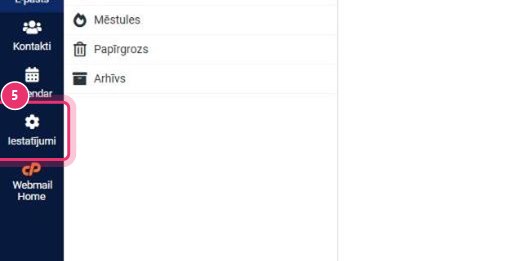
6Find the forwarding filter
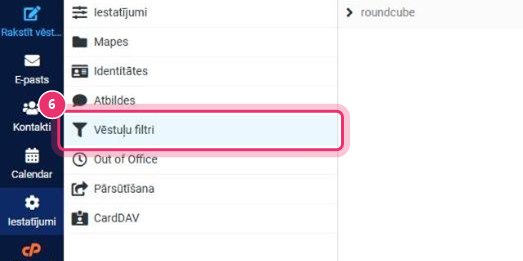
Open “Vēstuļu filtri” (Filters). The middle column shows all filters under the filter set “roundcube”. Find the filter that forwards messages to another address and click it. If the list is empty, there are no filters – go to step 8.
SPF is a domain's list of servers that are allowed to send mail on its behalf. If a message is forwarded without SRS, the recipient sees our server sending mail on behalf of someone else's address and rejects it. SRS rewrites the sender address so that the check passes.
7Delete the filter
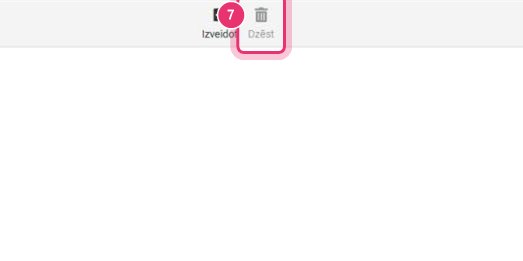
With the filter selected, click “Dzēst” (Delete) at the top. If you are asked to confirm, confirm the deletion.
✕Do not delete filters that do not forward messages, for example ones that only move them to folders.
8Check the Forwarding section
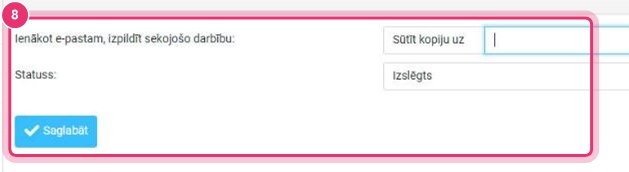
Open “Pārsūtīšana” (Forwarding). If an address is entered there and “Statuss” (Status) is “Ieslēgts” (On), choose “Izslēgts” (Off) and click “Saglabāt” (Save).
Next to the address you will see either “Sūtīt kopiju uz” (Send a copy to – the message also stays in your mailbox) or “Pārsūtīt uz” (Redirect to – the message is only forwarded). Neither uses SRS.
9Create a forwarder in the client portal
In the client portal, open “Email Forwarders” and create a forwarder to the same address (if there is none yet) as described in the article “2.9. How to set up email forwarding?”.
You can do the same in cPanel under “Forwarders”.
✕Do not keep forwarding in both Roundcube and the portal – messages may arrive twice.
If you run into any difficulties, just write to us and we will help. support@area.lv